Everything you need to run the daily work of your kitchen in the Android app.
- Inventory, locations, counts & scanning
- Purchase orders, receiving & approvals
- Recipes, prep lists & menu costing
- Imports, operational analytics & staff access
Welcome to Chef Digital Tools. Turn below-PAR stock into reviewed purchase orders, check deliveries against those orders, and keep your kitchen moving. Inventory, recipes, prep, and the numbers behind them stay together in one shared workspace.
Or take a free look inside the Trial KitchenBuilt for the chef on the floor and the owner looking at the whole operation.

Choose the tools that fit now. Add the wider Intelligence view when you are ready.
Everything you need to run the daily work of your kitchen in the Android app.
Core plus a wider view of the business, accessible in the app and your web workspace.
Active Intelligence includes invoice scanning on Android and the website. Additional 100-page packs cost US $9.99 and carry forward. Included pages are used first. Upload up to 20 pages per invoice, save drafts, and link ingredients when you are ready. Review and approve each invoice before posting costs or stock.
Create an Owner account and your kitchen directly in your browser. Web subscriptions are coming soon; purchases are temporarily paused while the app update is prepared. No Android device is required to set up and use your web workspace. Or install Chef Digital Tools from Google Play and buy Core and the Intelligence add-on in the app. Both purchase paths unlock the same kitchen on Android and the website. US prices are shown before any applicable tax; checkout shows the final price.
Already have access? Open workspace loginPut stock needs, purchase orders, and delivery review in the same workflow. Spend less time rebuilding lists and more time running the kitchen.
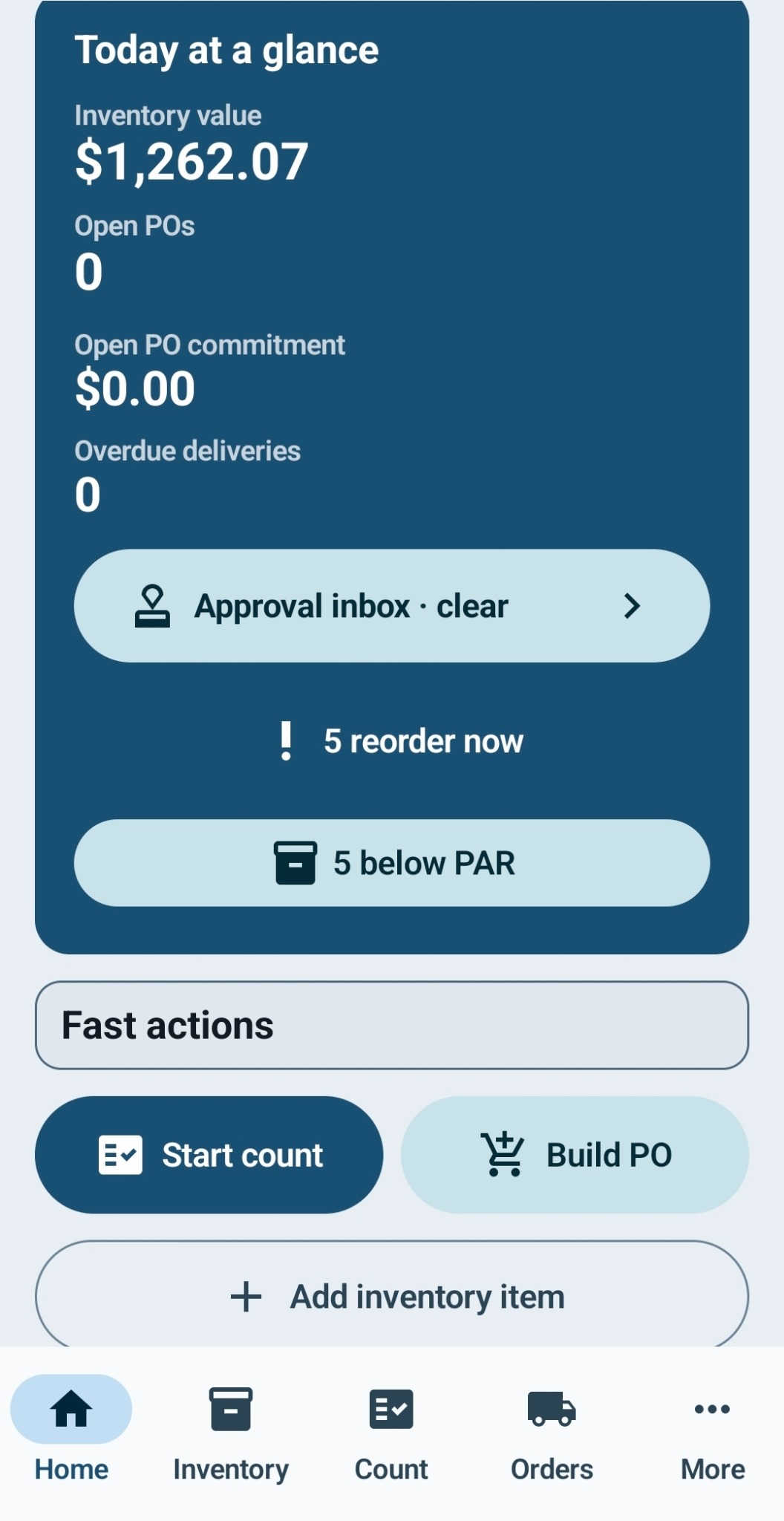
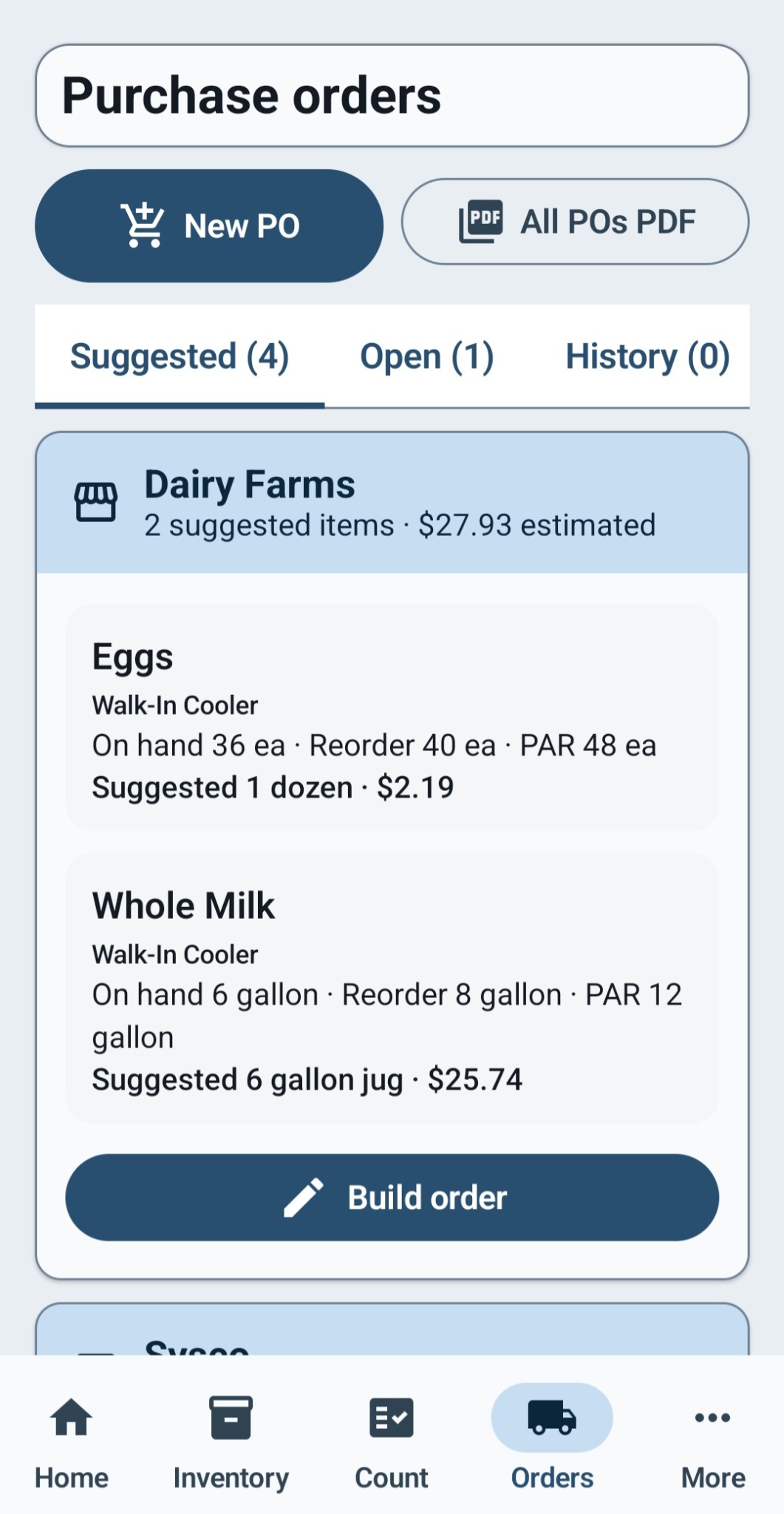
Review below-PAR and reorder alerts, suggested quantities, vendor details, and ordered incoming stock before building the next purchase order.
From stock check to a focused order list.Build and review purchase orders from the workspace. Export the purchase order PDF, then submit to your vendor through your usual ordering method.
A clear order for the kitchen and supplier.Review delivered quantities, costs, and product matches before stock is posted. Staff submissions follow the workspace’s permissions and Owner approval rules.
One delivery review. A current stock record.On Android: Rapid Scan supports repeated case scanning, while invoice extraction brings pages into a review workflow. In your browser: enter quantities and UPC/SKU details during receiving, or upload supplier invoices for extraction and review in the Owner/admin Invoices section.
See where the tools can help cover their cost ↓Good kitchen software should help you move faster during service and think more clearly afterward. CDT connects day-to-day work to costs, stock, and decisions without charging enterprise software prices.
Track items by location, count quickly, scan codes, watch PAR levels, receive deliveries, and build smarter purchase orders.
Explore inventory
Connect ingredients to recipes, plan prep, cost menus and packages, and carry demand into your ordering workflow.
Explore culinary
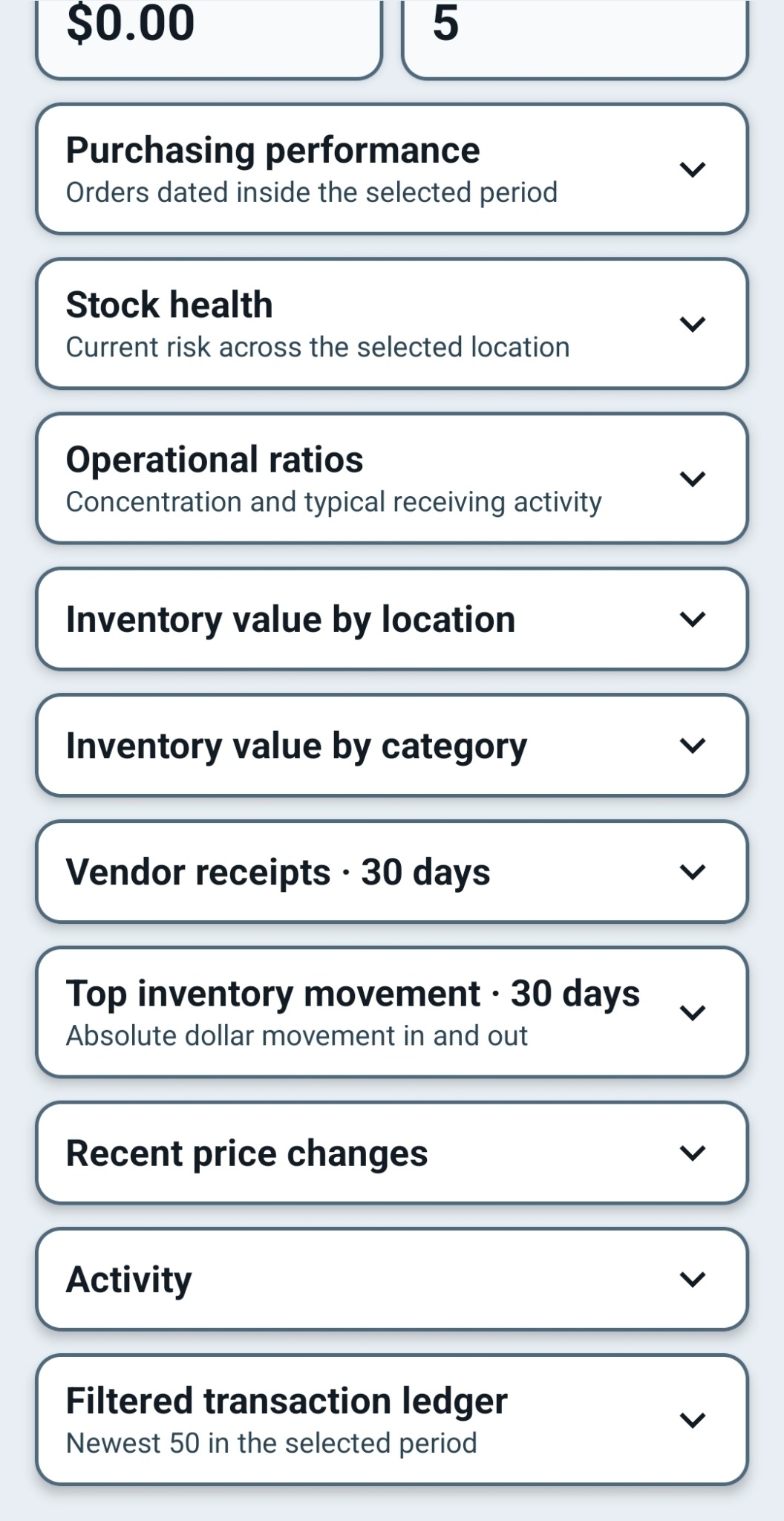
Understand stock, purchasing, waste, recipe costs, movement, and data quality in a deeper web command center.
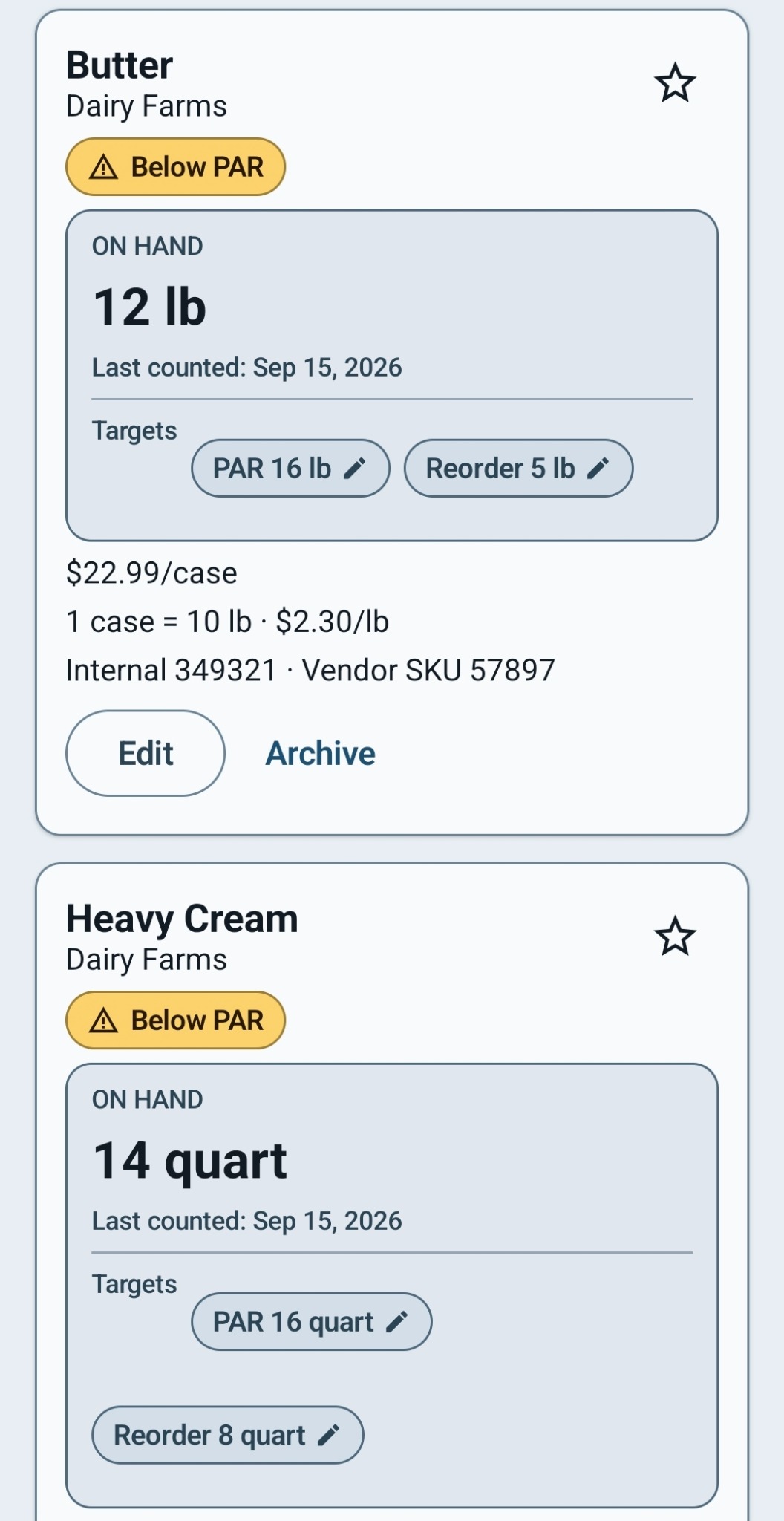
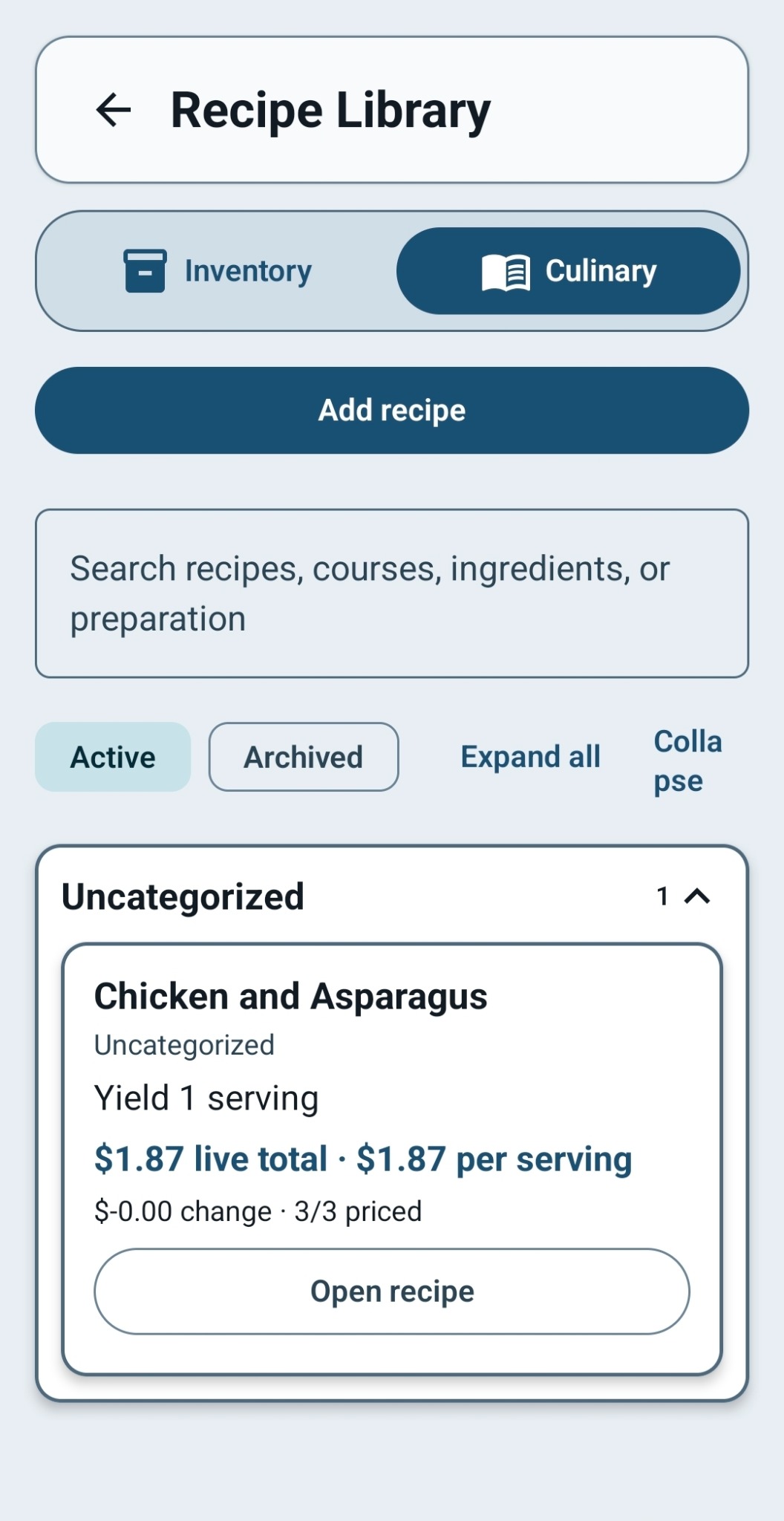
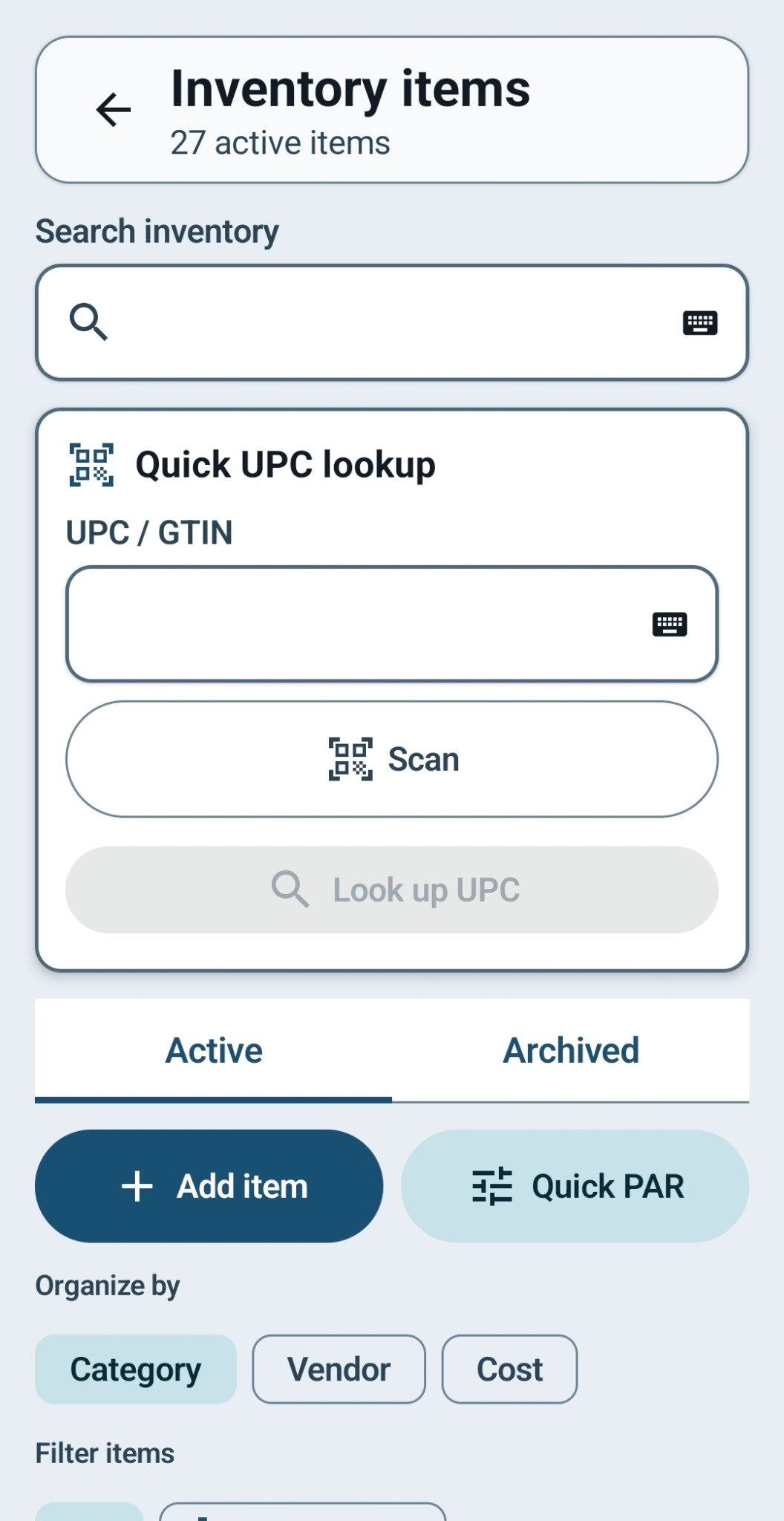
Meet IntelligenceReal screens from the Android app. Swipe through the moments that keep a kitchen moving.


Screens captured from the app with illustrative kitchen data. The Intelligence web analytics workspace is a separate, deeper view.
Start with what you need today. The pieces connect as your workflow grows.
Explore it with sample dataSet up your own storage locations, vendors, items, units, PAR levels, and reorder points. Use quick counts, full counts, adjustments, transfers, filters, UPC and vendor SKU scanning, and a clear stock history.
Build purchase orders from what the kitchen needs, review suggestions, track open orders and delivery commitments, receive against orders, and route submissions through your approval inbox.
Build recipes and sub-recipes, understand ingredient and serving costs, make prep lists, use batch production, and cost menu items or packages. Bring planned demand into Inventory ordering when it is time to purchase.
Bring in inventory and culinary source lists, review matches and unit conversions, and finish imports in stages. Start with the locations and data that fit your kitchen, not a prefilled template.
Give staff their own sign-in IDs and permission levels. Keep counts, receiving, approvals, activity, and owner financial information under the right access controls.
Owners get expanded web analytics across inventory, purchasing, waste and variance, culinary costs, movement, and data quality. Owners and staff use their own logins to reach the same permitted workspace on a computer or in an iPhone browser. The add-on also brings consent-based invoice page extraction and review on Android and in the Owner/admin web workspace, with 400 invoice pages per month while Intelligence access is active. Included pages are used first; purchased 100-page packs carry forward. Saved drafts let you link ingredients later.
The return shows up in the everyday details: what actually arrived, what you need to order, and how much work it takes to keep stock current.
Compare invoice lines and purchase orders with the delivery in front of you. Review quantities and item matches before approving a receipt, so a missing case or short delivery becomes a question for your vendor.
Catch a shortage. Request the credit you are owed.CDT supports the review; your team checks the delivery and resolves any credit with the vendor.Use current stock, PAR levels, suggested quantities, and incoming orders to focus your next purchase order. Spend less time rebuilding a shopping list and checking the same information in several places.
Less order preparation. More time for the kitchen.Use Android Rapid Scan with UPC or vendor SKU matching and repeated case scans, then review quantities before posting. Keep the delivery moving while staff permissions and approval controls stay in place.
Less repetitive entry at the receiving door.Barcode scanning is an Android feature. Browser receiving uses quantity and UPC/SKU entry.Review recorded purchase costs and receipt price changes. Spot the items that deserve a vendor conversation or a fresh look at your recipe costs before the increase becomes part of your routine spending.
Better information for purchasing decisions.Use stock levels, incoming orders, counts, and waste or variance views to investigate overstock and losses. Your team can use that information to adjust purchasing and handling.
Put avoidable waste and excess stock on your radar.Connect ingredient costs to recipes, portions, and menu or package costing. Review where a price, portion, or ingredient change could protect your margin.
Make costing decisions with the numbers in front of you.If your team catches and successfully recovers a $40 billing discrepancy, that recovered amount could cover one month of Core. A recovered $80 discrepancy could cover one month of Intelligence + Web.
That is an illustration, not a promised saving. Credits depend on the actual delivery and your vendor’s resolution. Time recovered from ordering and receiving adds capacity; it reduces cash costs when paid hours or overtime actually fall.
Core includes ordering, receiving, Android barcode workflows, and recipe costing. Intelligence + Web adds Android invoice extraction and review, shared browser access, and deeper Owner analytics. Invoice extraction helps prepare the review; your team confirms what physically arrived.
Explore the plansStep into a sample Chef Digital Tools workspace. Explore inventory, counts, orders, recipes, prep, analytics, and example invoice comparisons with fictional kitchen data before connecting an account. Fill out preview forms without saving changes.